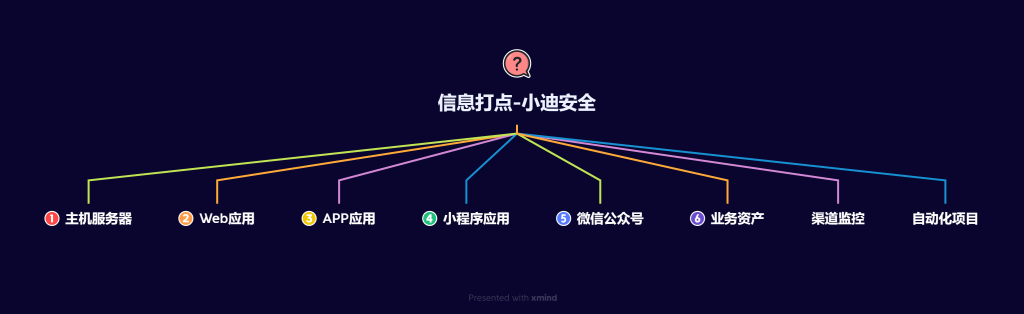
流程:目标确认 → 资产发现 → 端口与指纹 → 入口发现 → 收尾整理
- 原则:记住从外到内、从粗到细、每一步有停的标准。
- 适用:新手第一次面对目标时,按这个顺序走完,90% 的场景不会漏东西。最多就是费点时间,但你有的就是时间。
- 提醒:流程走的多了你自然会知道什么时候可以跳步、什么时候需要加戏 — 但在那之前,先照做。
第一步:目标确认
“ 搞清楚我是谁在打谁 ”
可能是 一个域名、一个公司名、一个 ip。
1.1 动作
|
1 2 3 4 5 6 7 8 9 10 |
① 查企业信息 / 备案 - 爱企查 / 天眼查 / 企查查 —— 确定归属、子公司、关联域名 - 工信部备案查询:https://beian.miit.gov.cn - 小蓝本(免费):https://www.xiaolanben.com ② 查域名注册信息 - whois 查询,看注册人、邮箱、历史记录 ③ 快速搜索了解目标 - 百度 / Google 搜公司名 + 安全 / 漏洞 / 系统 |
1.2 可以停的标准
- 主域名确认
- 关联域名 / 子公司列表拿到
- 找到 1-2 个明确的目标域名可以开始动手
第二步:资产发现
“ 目标有多少东西 ”
2.1 子域名收集(最值得花时间)
|
1 2 3 4 5 6 7 8 9 |
# 综合收集 ksubdomain -d target.com # 速度快 subfinder -d target.com # projectdiscovery 出品 OneForAll --target target.com run # 全量收集,兜底 # 在线平台补漏 crt.sh # https://crt.sh DNSDumpster # https://dnsdumpster.com DNSGrep # https://www.dnsgrep.cn/subdomain |
2.2 IP 解析与 CDN 判定
|
1 2 3 4 5 6 7 8 9 10 11 12 13 |
# 批量把子域名解析成 IP # 然后用以下方式判断是否走 CDN: # 多地 Ping 检测有无 CDN 超级 Ping: https://ping.chinaz.com 拨测工具: https://boce.aliyun.com/detect 17ce: http://www.17ce.com # CDN 厂商查询 cdn.chinaz.com tools.ipip.net/cdn.php # 综合查询(一步到位)get-site-ip.com fofa.info/extensions/source |
CDN 绕过的实战优先级(从高到低):
| 优先级 | 方法 | 说明 |
|---|---|---|
| ⭐1 | 子域名未加速 | 主站走 CDN,子域名不走 —— 最容易中 |
| ⭐2 | 历史 DNS 记录 | 查微步 / crt.sh / Netcraft 找 CDN 前的 IP |
| ⭐3 | 邮件反查 | 注册 / 找回密码 / RSS → 邮件源码带真实 IP |
| ⭐4 | SSL 证书搜索 | Censys 扫证书找真实 IP |
| ⭐5 | 全网扫描 | Zmap / Masscan + 关键字匹配(最耗时,兜底) |
2.3 存活检测
|
1 2 |
# 对上一步拿到的域名列表做存活探测 httpx -l domains.txt -o alive.txt |
2.4 可以停的标准
- 子域名列表拿到(合并去重后)
- 真实 IP 与 CDN 节点区分开
- 存活的域名列表准备好进入下一步
第三步:端口与指纹
“ 目标有多少东西 ”
⚠ 只对真实 IP 做,不要对着 CDN 节点扫。
3.1 端口扫描
|
1 2 3 4 5 6 7 8 9 10 11 |
# 日常够用:扫 Top 1000 端口 nmap -sS -Pn -T4 --top-ports 1000 -oA scan_target target.com # 快速:Masscan,但误报较高 masscan -p1-65535 --rate=1000 target.com # 重点关注端口 80/443/8080/8443 → Web 服务 22 → SSH 3306/1433/6379 → 数据库 27017 → MongoDB |
防火墙绕过技巧:
|
1 2 3 4 5 |
# 换扫描协议 nmap -sS # SYN 扫描(默认,快); nmap -sT # TCP 连接扫描(慢但稳定); nmap -sA # ACK 扫描(探测防火墙规则); # 如遇防火墙拦截,逐个尝试以上协议 |
3.2 指纹识别
|
1 2 3 4 5 6 7 8 9 10 |
# Web 指纹 wappalyzer # 浏览器插件,日常必装 EHole_magic -u url # 推荐 hfinger -u url # 推荐 # CMS 检测 CMSeeK -u url # 在线查 云悉指纹:https://www.yunsee.cn(需邀请码)TideSec:http://finger.tidesec.net |
常见框架识别速查:
| 框架 | 特征 |
|---|---|
| Django | Set-Cookie: expires= |
| Flask | Etag: flask / X-Powered-By: Flask |
| ThinkPHP | X-Powered-By: ThinkPHP |
| Laravel | Set-Cookie: XSRF-TOKEN= |
| Shiro | Cookie 有 rememberMe=deleteMe |
| Struts2 | URL 带 .do / .action |
| Node.js | ETag: W/” |
3.3 WAF 识别
|
1 2 3 |
wafw00f https://target.com identYwaf -u https://target.com # 手动:看响应头、拦截页面特征 |
3.4 蜜罐识别
|
1 2 |
Heimdallr # 蜜罐识别工具 quake.exe honeypot <target> # Quake 蜜罐检测 |
可以停的标准
- 存活端口列表
- 主要 Web 应用的 CMS / 框架版本
- WAF 类型
第四步:入口发现
“ 门在哪里 ”
4.1 JS 信息提取(优先级最高)
|
1 2 3 4 5 6 7 8 9 |
# URL 提取 + 敏感信息 URLFinder.exe -u https://target.com -s all -m 3 # WebPack 站点 JS 爬取 + 接口列表 jjjjjjjjjjjjjs -u https://target.com # 浏览器插件 FindSomething # 提取 URL / IP / 域名 / 证件号 BurpAPIFinder # BP 插件,发现未授权 / 敏感接口 |
4.2 目录扫描
|
1 2 3 4 5 6 |
dirsearch -u https://target.com -e php,zip,bak,tar.gz gobuster dir -u https://target.com -w wordlist.txt ffuf -u https://target.com/FUZZ -w wordlist.txt -t 200 # 推荐字典 https://wordlists.assetnote.io |
4.3 源码泄露检查
|
1 2 3 4 5 6 7 8 9 10 11 |
# .git 泄露 GitHack https://target.com/.git/ # .svn 泄露 SvnHack https://target.com/.svn/ # .DS_Store 泄露 ds_store_exp https://target.com/.DS_Store/ # 通用 dumpall -u https://target.com |
|
1 2 3 4 5 6 7 8 |
# 也手动检查几个常见的目录文件:target.com/.git/config target.com/.svn/entries target.com/.DS_Store target.com/robots.txt target.com/sitemap.xml target.com/WEB-INF/web.xml target.com/composer.json target.com/backup.zip / .rar / .tar.gz |
4.4 敏感信息搜索
|
1 2 3 4 5 6 7 8 9 10 |
# Google Hacking site:target.com filetype:php site:target.com inurl:admin site:target.com intitle:"index of" site:target.com filetype:xls|doc|pdf inurl:target.com password admin # GitHub 搜索(公司名 + password/key/secret)site:github.com target password site:github.com "target.com" "password" site:github.com "target" "smtp" |
GitHub 监控工具:
|
1 2 3 |
gshark # GitHub 敏感信息监控 FireEyeGoldCrystal # 同上 Github-Monitor # 同上 |
4.5 APP / 小程序(如果有)
|
1 2 3 4 5 6 7 8 9 10 |
# APK 分析 apkleaks -f target.apk AppInfoScanner # 收集 IP/URL/Server/CDN # 小程序逆向 KillWxapkg # 推荐 unveilr # 备用 # 流量抓包 Proxifier + BurpSuite # 抓小程序后端 IP/API |
可以停的标准
- JS 跑完,提取到的接口 / URL / 敏感信息已记录
- 目录扫描走完(中等字典)
- 源码泄露检查完
- Google / GitHub 搜了一遍
第五步:收尾整理
把上面几步的结果汇总成一张清单:
|
1 2 3 4 5 6 7 8 9 |
目标信息汇总表 ├── 存活域名 + 真实 IP + CDN 状态 ├── 端口 + 服务 + 版本 ├── CMS / 框架 + 版本号 ├── WAF 类型 ├── 可疑 URL + API + 敏感信息 ├── 敏感信息(Google / GitHub 找到的)└── 目标技术栈总览 ↓ 基于这个清单,进入漏洞测试阶段 |
整体流程速览(一张图版)
|
1 2 3 4 5 6 7 8 9 10 11 12 13 14 15 16 17 |
公司名 / 域名 ↓ 第一步:目标确认(5-10min) ↓ 第二步:资产发现(15-30min) ├── 子域名收集 ├── IP 解析 + CDN 判定 └── 存活检测 ↓ 第三步:端口与指纹(10-20min) ├── 端口扫描(Top 1000) ├── 指纹识别 └── WAF/ 蜜罐识别 ↓ 第四步:入口发现(30-60min) ├── JS 提取(优先级最高) ├── 目录扫描 ├── 源码泄露 └── 敏感信息搜索 ↓ 第五步:收尾整理 ↓ 进入漏洞测试 |
一些原则
- 每一步都有停的标准——不是扫到天荒地老
- 按最省时的顺序走——子域名 > 存活 > 端口 > 指纹 > 入口,不会走回头路
- 先批量自动化,后手动精细——能用工具一把梭的,不要一个个点
- 如果某个入口特别明确(比如直接找到后台登录页),后面的步骤可以跳过
- 刚开始就完完整整走一遍——走多了自然知道哪些步骤可以省略
正文完